
The best advice for your scenario?
Copy Protect Web Pages and Images
CopySafe Web Protection is secure from all saving and copying techniques including
PrintScreen and all screen capture software.
It can be used in all web projects including online catalogues,
galleries, surveys, e-commerce and banking. It can be used on any web site
on any type of web server with any database. Create swap image, hyperlink or slideshow. Create new protected pages or
protect existing web pages. Deliver on the fly using ASP, CFM, CGI, PHP,
etc.
CopySafe Web Protection can copy protect any media viewed with a web browser including
images (JPG, GIF, PNG, TIF), html, Flash, applets, animations, etc.
- Copy protect images
- Copy protect web pages and html
- Copy protect Flash animations
- Copy protect database results
- Copy protect all content delivered on the fly
CopySafe Web Protection can be used with all scripted portals for online surveys, shopping carts, e-commerce and banking. Different levels of copy protection can be assigned to individual pages for enable/disable menus, keyboard, capture and more. Code snippets and instructions for use with ASP and FrontPage are provided with your software. The templates can be added to any existing portal as inserts.
CopySafe Web Versions
The full
CopySafe Web Protection license includes the CopySafe Web Converter for
encrypting images which is the most secure option possible for protecting
images online because they are also protected on the server from staff. A
lesser option is available known as
CopySafe Web Insert where any web page
can be protected by simply by adding a small CopySafe encrypted image.
How It Works
When a visitor views a
CopySafe Web Protection page, if the CopySafe Web plugin is
detected then the page is displayed but they are not able to copy, save or
capture your page content. If the CopySafe Web plugin is not detected, they
are redirected for download and installation.
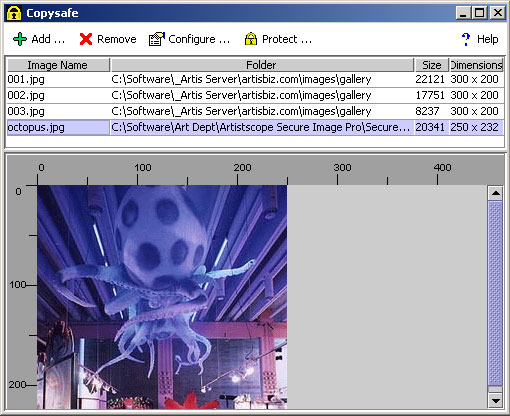
Producing Copy Protected Content
Protecting any web content is simple to do... just add the html to your web page/s. Using the CopySafe Web Converter normal images can be batch processed and also configured for a variety of effects such as swap image, hyperlink or slideshow. Then you have the option of saving them to a single page or to individual pages ready for upload to your web site.
- Banking & Finance - copy protect documents enabling them to be accessed or researched but not for duplication.
- CD Distribution -distribute a replica of your web site on CD so that your catalogue can be viewed offline but in a copy protected environment.
- Corporate Networks - within a corporate network you can have the most secure copy protection imaginable.
- Draughting & Photography - architects and photographers can copy protect photos and drawings and provide restricted access until paid.
- Online Surveys - site visitors can submit to survey questionnaires while viewing pre release product information without being able to copy it.
- Shopping Carts and E-Commerce - copy protect your product catalogue and photographs from plagiarism by competitors.
Database Integration
CopySafe Web Protection is specially optimized for database delivery (delivering images on the fly). When loading applets on the fly you usually need more parameters than just the image name, making database input cumbersome. Ordinarily you at least need image name, width and height as the bare essentials. However CopySafe Web renames the images to include the applet's width and height . It also includes the encryption class, enabling you to mix Secure Image encrypted files with CopySafe Web encrypted images in the same folder.
Rights Access Control
With CopySafe Web Protection the webmaster can nominate to allow/disallow access to their protected content according to platform and/or web browser and version. Each page can also be configured to vary the security level applied.
Licensing and Prices
More information on price and how to order online can be found on the CopySafe Web Protection home page.
Other Versions
CopySafe Web Protection is for the copy protection of online content displayed in
popular web browsers. For the most secure copy protection of inline media, you
need to use web browser properly designed to protect content rather than expose
it, in which case you need to use the
ArtisBrowser. To copy protect documents distributed for viewing offline please see
CopySafe PDF Protection which will copy protect Adobe
Acrobat PDF documents.